
Type less. Do more.
Stop typing the same things over and over. Create shortcuts for the text you use every day — email replies, signatures, addresses, meeting notes — and watch them expand instantly as you type, in any website and any editor.


See /hello expand into a friendly greeting
How it works
Three steps and you're done
Install the extension, create a shortcut, and start expanding.
Add it to your browser
One click from the Chrome Web Store or Edge Add-ons. Pin it to your toolbar and it's ready.
Create your first shortcut
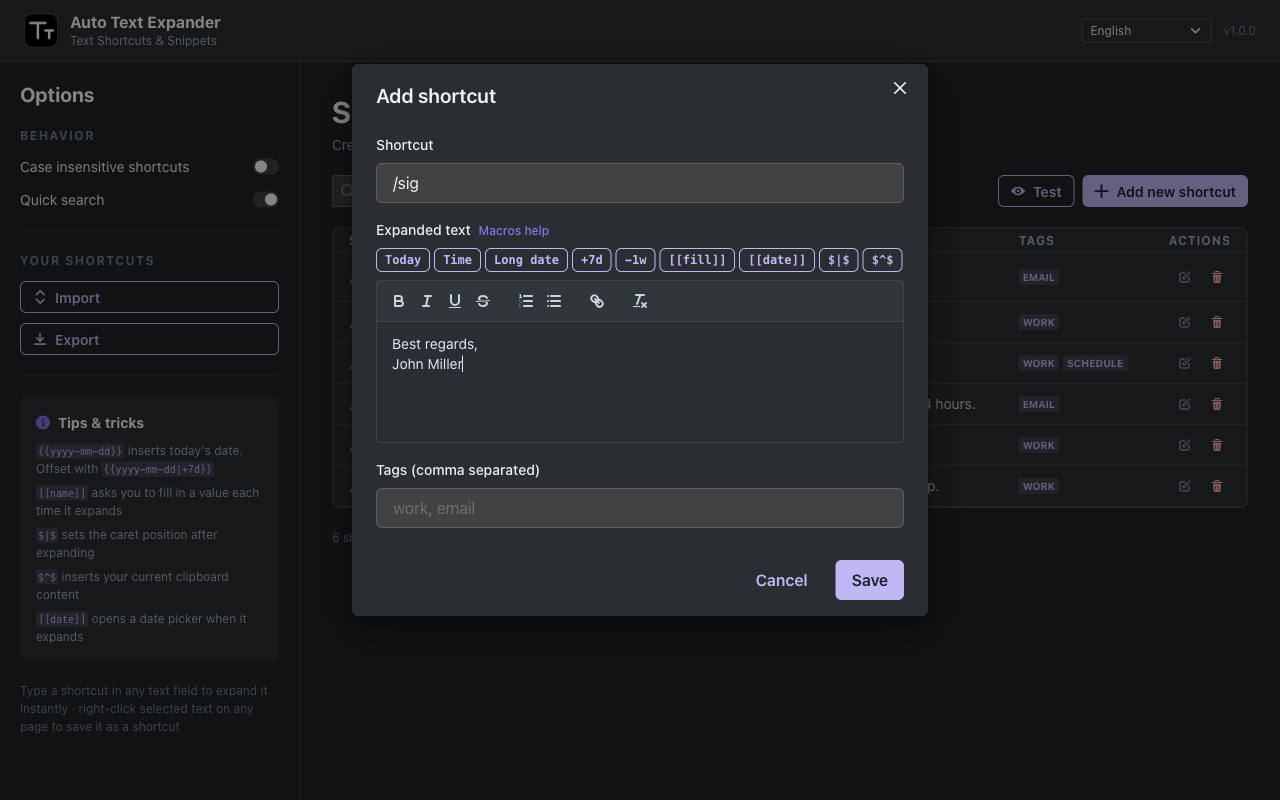
Pick a trigger like /sig and paste the text you keep retyping — tags, bold, lists and placeholders welcome.
Never type it again
Type the trigger anywhere and press space. The full text appears as if you typed it yourself.
Tip: use the built-in Test panel to try shortcuts with real macro expansion before saving them.
Features
Every feature, one goal: type less
Built for the text you type every day.
Instant Text Shortcuts
Type a shortcut like /sig, press space, and it expands instantly — works in inputs, multi-line fields, rich text editors, and even Google Docs.
Works Everywhere
Runs on almost any site — email, forms, chat tools, docs and more. If you can type there, your shortcuts are ready.
Date & Time Macros
{{yyyy-mm-dd}} for today's date, {{HH:mm}} for the current time, and {{yyyy-mm-dd|+7d}} for dates with offsets.
Fill-in Placeholders
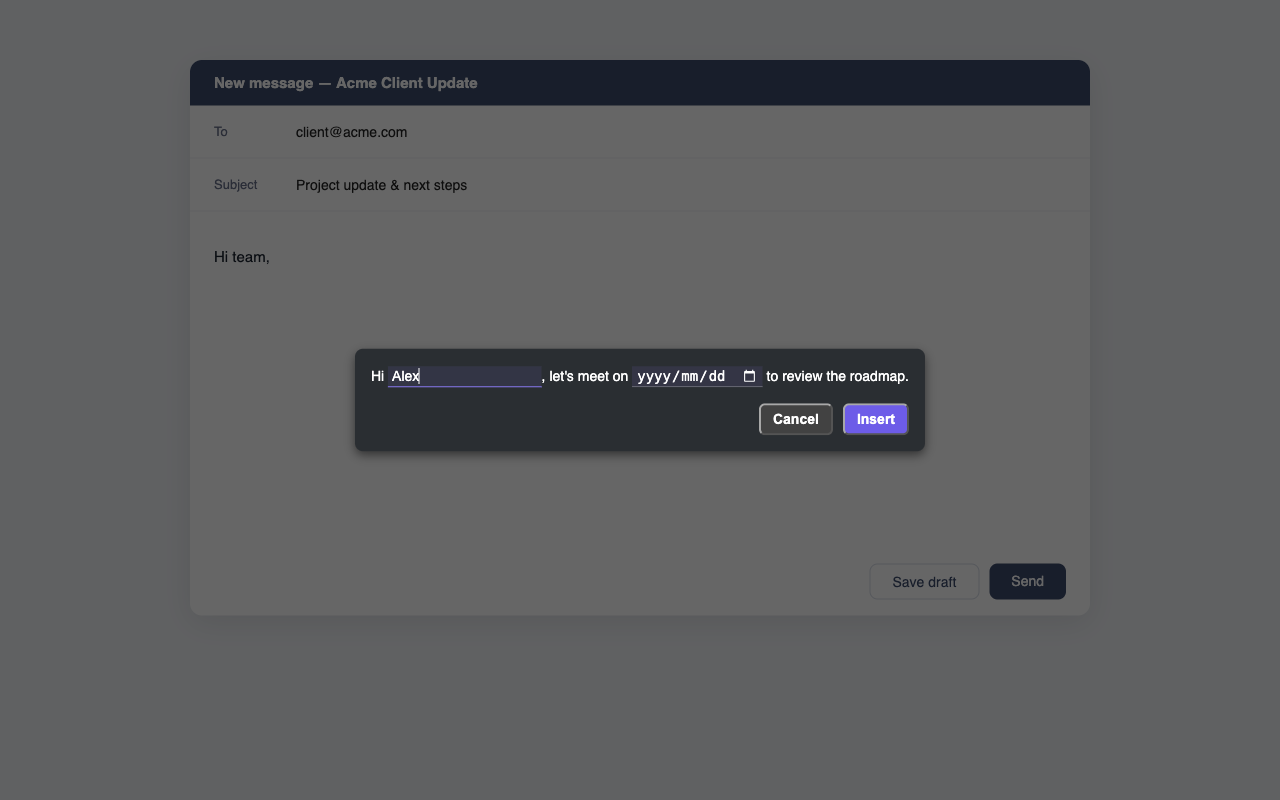
Add [[name]] or [[date]] anywhere in your text. When it expands, a small form pops up — with a calendar date picker and formats like [[date:mm/dd/yyyy]].
Caret Position Control
Mark where the caret should land after expanding ($|$), so you're typing the next word right away.
Clipboard Insertion
Mark a spot with $^$ and whatever you copied drops in as it expands — no need to paste it yourself.
Rich Text Support
Shortcuts can include bold, italics, lists, links and line breaks — perfect for professional signatures and formatted replies.
Floating Quick Search
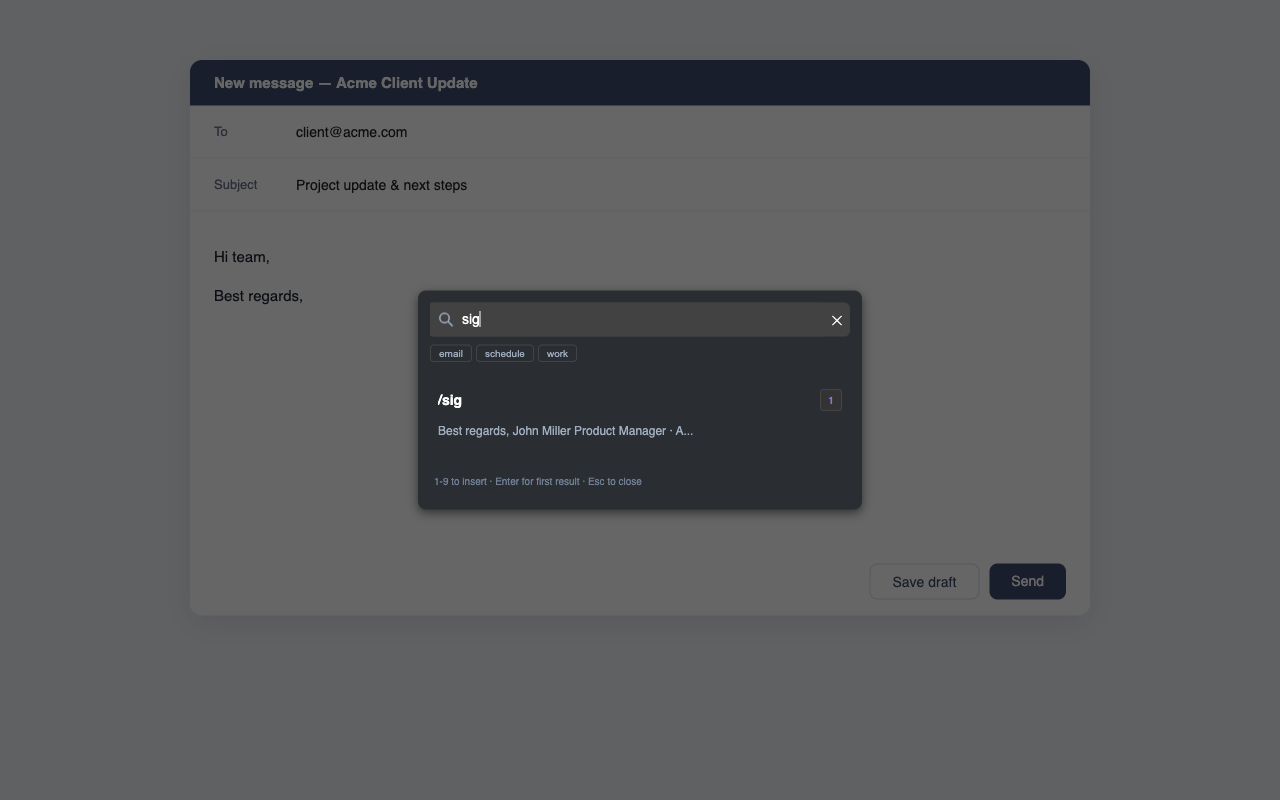
A draggable floating ball on every page — or hit Ctrl+Space to search. Find shortcuts by keyword or tag and insert any of them with one click; its position is remembered.
Unlimited Shortcuts
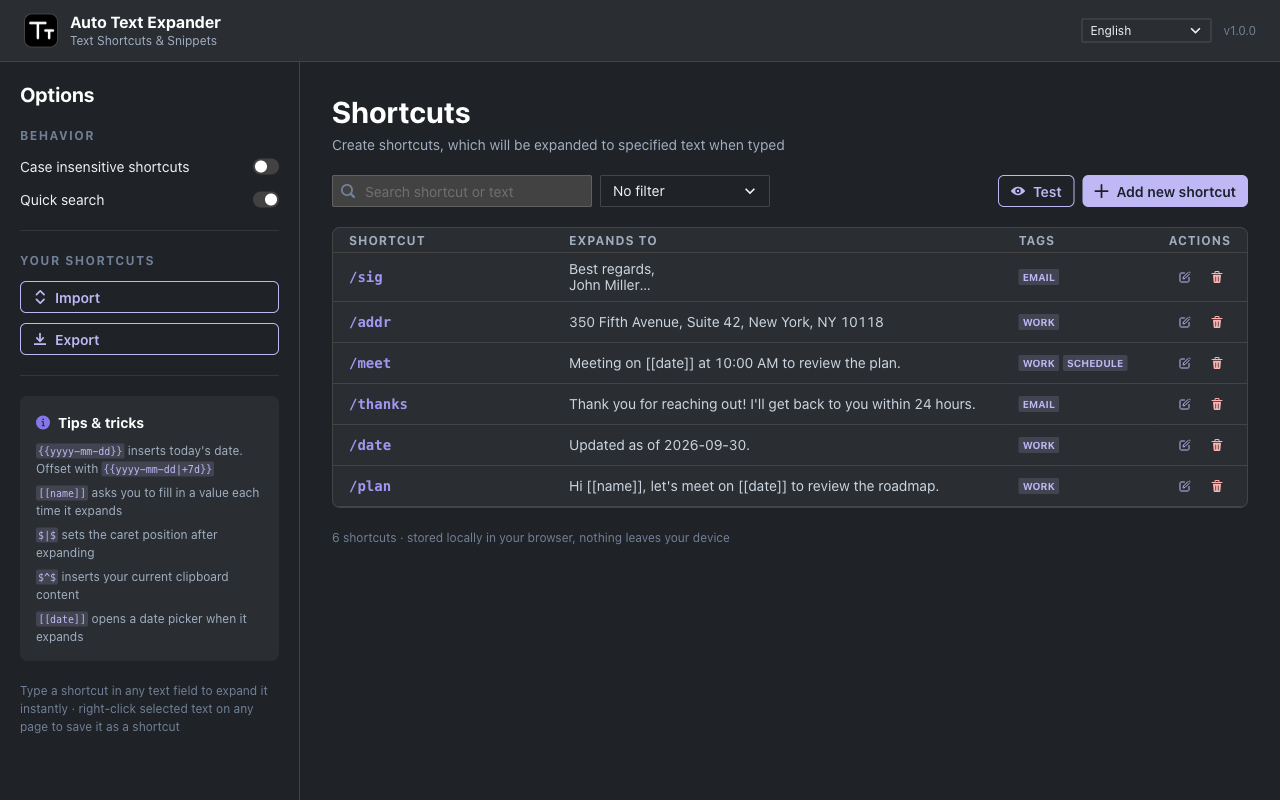
Create and manage as many shortcuts as you need — no caps to slow you down.
Flexible Matching
Match shortcuts case-insensitively and organize them with tags to fit your workflow.
Site Pause
On a site where you don't want expansions? Pause it with one toggle from the popup and turn it back on anytime.
Import & Export
Export to CSV, import from CSV or JSON — bring your shortcuts with you, no vendor lock-in.
Quick Add
Right-click any selected text on a page and turn it into a shortcut on the spot. Never lose your flow.
Private & Local
All shortcuts are stored locally in your browser. Your text never leaves your device.
Friendly Human Support
Question, bug or idea? Get a prompt, helpful reply from the people who build it — usually within 24 hours.
Reviews
What users say
Amazing App, cuts at least 8 hours work per week.
Great addon which saves a lot of time.
Works amaizingly smooth.
This tool is fantastic; it has saved me a lot of repetitive work.
Very helpfull. Like it
very helpful
Everything wracking good
See it in action
A quick look inside
Manage your library, edit rich snippets and find anything in seconds.
FAQ
Frequently asked questions
Your most-used text, one shortcut away
Add Auto Text Expander to your browser and turn repetitive typing into a single shortcut.
Add to Chrome